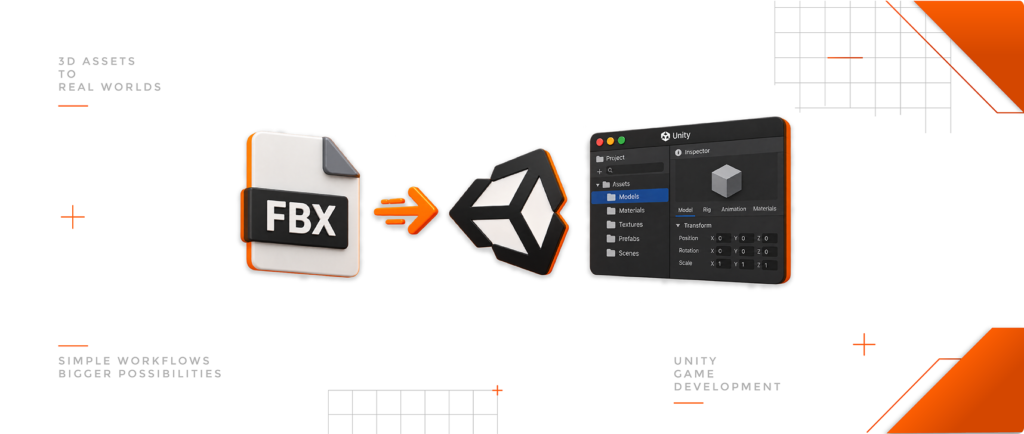
Game-Ready Assets | Optimized for Unity & Unreal | Instant Download

What Is PBR and Why Does It Matter?

PBR, or Physically Based Rendering, is a rendering approach designed to simulate how light interacts with materials using principles based on real-world behavior.

Instead of creating a material that only looks correct under one lighting setup, PBR describes the properties of the surface so the rendering engine can calculate how it reacts to light, reflections, and its environment.

This creates materials that are more consistent, predictable, and reusable across different scenes.

1. How Does PBR Work?

When light reaches a surface, it can be reflected, scattered, or absorbed. Different materials respond differently. Metal, plastic, wood, concrete, and ceramic all have distinct reflective characteristics.

A PBR workflow describes properties such as:

  • Surface color
  • Metallic or non-metallic behavior
  • Surface roughness
  • Small surface details

The renderer combines these properties with the scene lighting and environment to calculate the final appearance.

2. Metals and Non-Metals Behave Differently

One of the fundamental principles of common PBR workflows is the distinction between metals and non-metals.
Examples of non-metals include plastic, wood, concrete, fabric, and ceramic. Metals include materials such as steel, aluminum, copper, and gold.

In a Metallic workflow:

Metallic 0 Non-metal
Metallic 1 Metal

Intermediate values are generally used for transitions or mixed surface conditions rather than arbitrary “half-metal” materials.

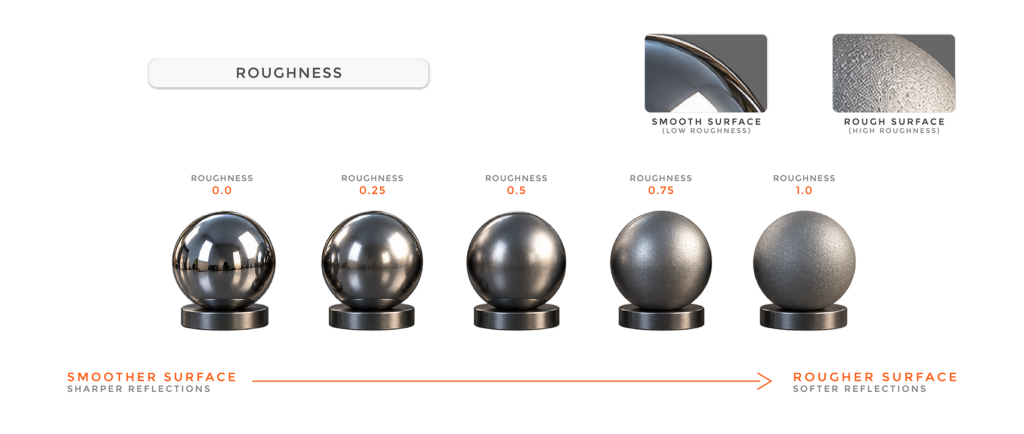
3. Roughness Controls Reflections

Roughness describes how smooth or irregular a surface is at a microscopic level.

Low Roughness sharper reflections
High Roughness softer, more diffused reflections

This property strongly affects how we perceive a material. Polished and weathered metal, for example, can share similar colors while looking completely different because of their roughness.

4. PBR Is More Than Texture Maps

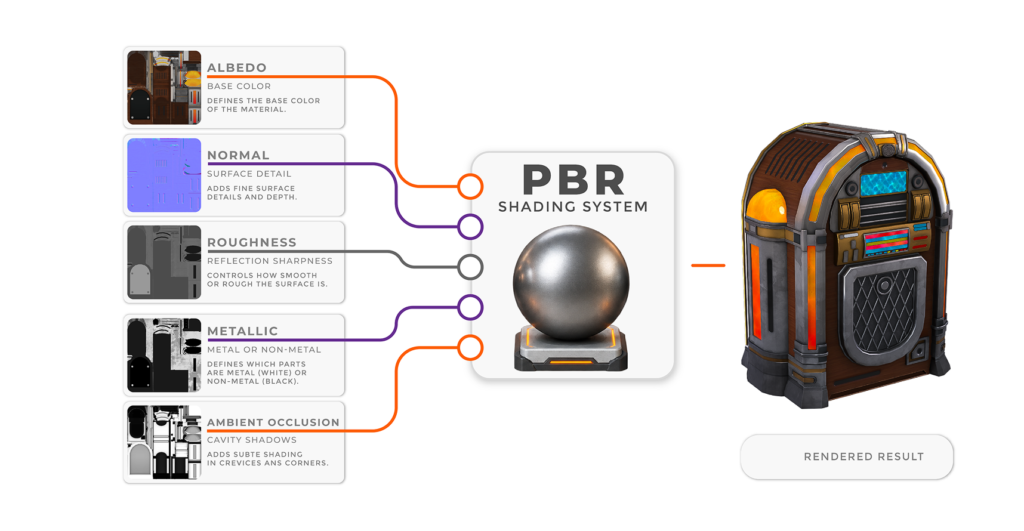
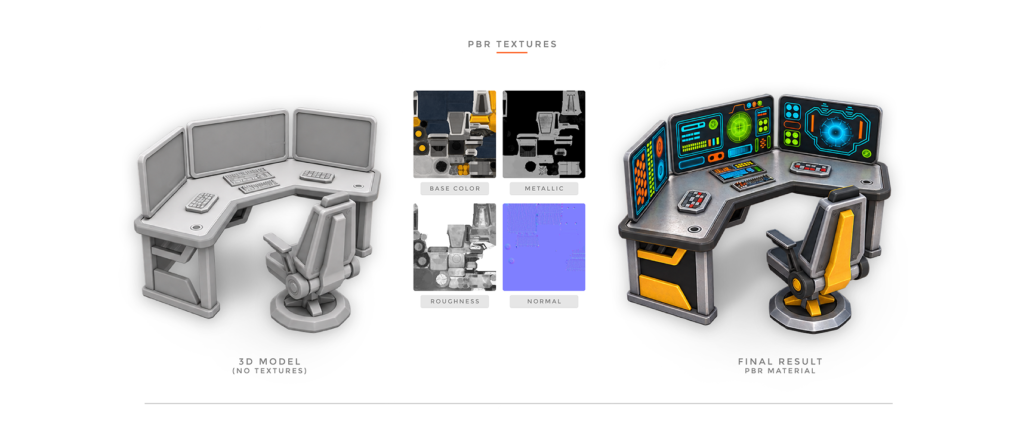
PBR is commonly associated with maps such as:

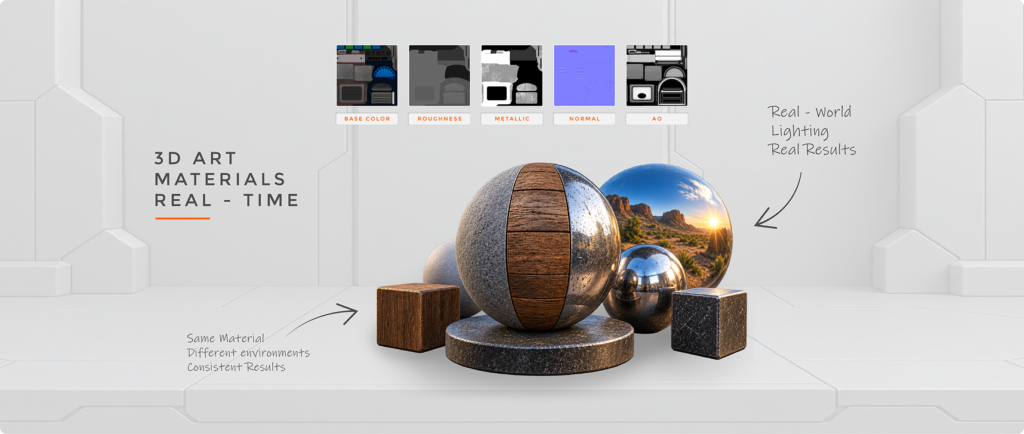
Base Color · Metallic · Roughness · Normal · Ambient Occlusion

However, PBR is not simply a collection of textures. These maps provide information to a physically based shading model, which combines material properties with lighting, reflections, and viewing direction.

Different engines may implement these properties differently. For example, some workflows use Roughness, while others expose Smoothness.

5. Why Does PBR Matter?

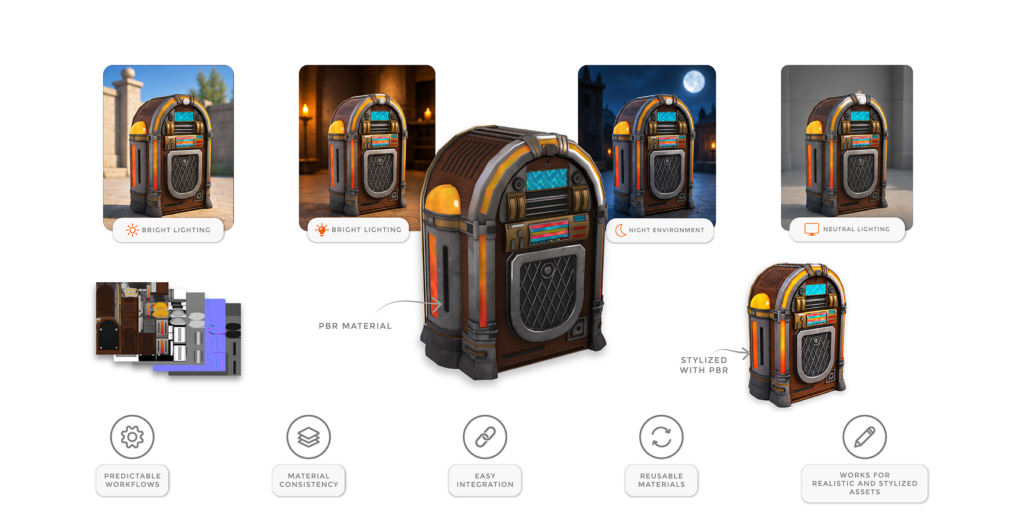
One of PBR’s biggest advantages is consistency. A properly authored material can remain believable across different lighting environments instead of being designed around a single scene.

PBR also provides:

  • Predictable workflows for artists
  • Better material consistency between assets
  • Easier integration into modern 3D pipelines
  • Reusable materials across different environments

And PBR does not require photorealism. Stylized assets can also use physically based materials while maintaining exaggerated colors, shapes, and artistic direction.

6. PBR Still Requires Good Artistic Decisions

Physically based does not automatically mean realistic.

Common mistakes include:

  • Making plastic metallic simply because it is shiny
  • Using extremely low Roughness everywhere
  • Baking strong lighting into Base Color
  • Using unrealistic material values
  • Ignoring real-world references

A useful question when creating a material is: “What is this surface actually made of?”

Then build its properties around that answer.

7. Why PBR Matters for Game-Ready Assets

A reusable 3D asset may appear in a bright exterior, dark interior, cinematic scene, or neutral asset viewer. Its appearance will naturally change with the environment, but its material properties should remain coherent.

This makes PBR particularly valuable for game-ready assets intended for different scenes, lighting conditions, and real-time production workflows.

Quick PBR Principles

  • Materials describe surface properties, not lighting
  • Metals and non-metals behave differently
  • Roughness controls the character of reflections
  • PBR does not necessarily mean photorealistic
  • Texture maps are inputs to a PBR shading system
  • Materials should be tested under different lighting conditions

Conclusion

PBR provides a consistent framework for describing how materials interact with light.

Instead of manually faking the appearance of a surface, artists define its properties and allow the rendering system to calculate how it responds to the environment.

Surface Properties + Lighting + Environment Final Appearance

Understanding this principle is fundamental for creating reliable materials and production-ready 3D assets.

More from the blog

What Is PBR and Why Does It Matter?

1 min read
PBR simulates how materials interact with light using real-world principles, creating consistent, predictable, and reusable surfaces across different lighting conditions and scenes.
How to Use PBR Materials Correctly

How to Use PBR Materials Correctly

5 min read
PBR creates physically plausible materials that respond consistently to different lighting conditions. Understanding each texture map is essential for achieving realistic and reliable results.
How to Import FBX Models into Unity

How to Import FBX Models into Unity

5 min read
FBX transfers 3D models into Unity, including geometry, UVs, materials, rigs, and animations. This guide covers essential import settings for proper scale, orientation, materials, and performance.